







Printing Reports and Lists Manually
Solution
You can print the following reports and lists manually.
- Address book list:
You can print coded dial, one-touch and group as lists.
- User data list:
You can print the user data list.
- Fax activity report:
You can print the fax activity report.
Print an address book list.
The following items are printed.
- Coded dial
- No. (registered coded number)
- Address
- Name
- Send type
- One-touch
- No. (registered one-touch number)
- Address
- Name
- Send type
- Group
- No. (one-touch numbers or coded numbers registered as a group)
- Group name
- Address
- Name
1. Press [  ] (Report).
] (Report). 2. Select <Print Report Lists> with [  ] or [
  ], and then press [OK].
] or [ ], and then press [OK].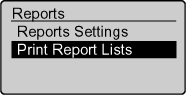
3. Select <Address Book List> with [ ] or [ ], and then press [OK].
] or [ ], and then press [OK].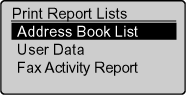
4. Select the items to print with [ ] or [ ], and then press [OK].
] or [ ], and then press [OK].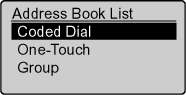
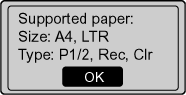
5. Make sure that the paper is loaded, and then press [OK].
Load the paper indicated in the display.
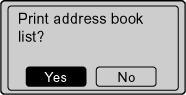
6. Select <Yes> with [  ], and then press [OK].
], and then press [OK].Printing starts.
7. Press [  ] (Reset) to return to the standby mode.
] (Reset) to return to the standby mode.Print a User Data List.
- The following items are printed.
- Common settings
- Copy settings
- Timer settings
- Send/Receive settings
- Report settings
- Printer settings
- System settings
- Controller ID
- Device configuration
1. Press [ ] (Report).
] (Report).2. Select <Print Report Lists> with [ ] or [ ], and then press [OK].
] or [ ], and then press [OK].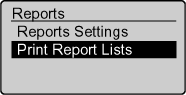
3. Select <User Data> with [ ] or [ ], and then press [OK].
] or [ ], and then press [OK].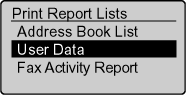
4. Make sure that the paper is loaded, and then press [OK].
Load the paper indicated in the display.
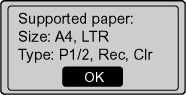
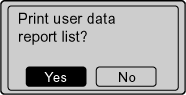
5. Select <Yes> with [ ], and then press [OK].
], and then press [OK].Printing starts.
6. Press [  ] (Reset) to return to the standby mode.
] (Reset) to return to the standby mode.Print a fax activity report.
You can also set to print the report automatically.
- The following items are printed.
- Start time
- Name/Address
- No.
- Mode
- Sheets
- Result
OK:
Transmission finished successfully.
NG:
Transmission failed.
1. Press [ ] (Report).
] (Report).2. Select <Print Report Lists> with [ ] or [ ], and then press [OK].
] or [ ], and then press [OK].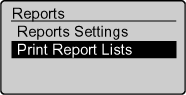
3. Select <Fax Activity Report> with [ ] or [ ], and then press [OK].
] or [ ], and then press [OK].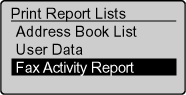
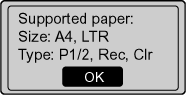
4. Make sure that the paper is loaded, and then press [OK].
Load the paper indicated in the display.
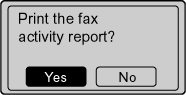
5. Select <Yes> with [ ], and then press [OK].
], and then press [OK].Printing starts.
6. Press [ ] (Reset) to return to the standby mode.
] (Reset) to return to the standby mode.