





How do I set the language on the camera?
Solution
You can change the language that displays on the screen.
1. Press the <Playback> ( ) button to turn on the camera.
) button to turn on the camera.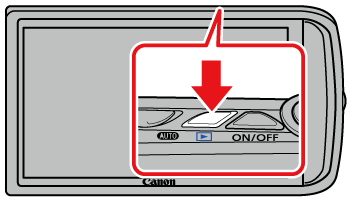
2. Touch [FUNC.] ( ).
).
).
3. Touch and hold [MENU] ( ).
).
).
4. The following screen will appear on the LCD monitor.

 Touch and select the display language you want to switch to.
After the language is selected, touch  (
( ).
).
().NOTE
- You can also set the display language from [MENU] (). Choose the [Set up] (
 ) tab, and then choose the language you want to set from the [Language] menu.