





Canon CameraWindow for Android 1.1 (or later) - I cannot view the images in the camera ("This function cannot be used with the camera's current settings").
Solution
The camera's [View Settings] option is set to [Off].
Please change the camera’s settings before connecting to the Android device.
IMPORTANT
- The position and shape of the operation buttons, screens displayed, and setting items may differ according to the model you use.
1. Press the <Playback> button to turn the camera on.
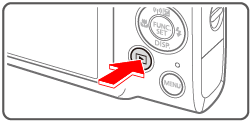
2. Press the <  > button.
> button.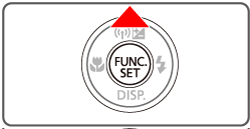
3. The following screen appears.
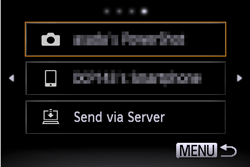
4. Press the < ><
>< > buttons to access the Wi-Fi menu.
><> buttons to access the Wi-Fi menu.
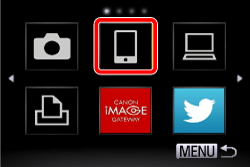
5. Choose [  ].
].
].
6. Press the < ><
>< > buttons to choose [Edit a Device].
><> buttons to choose [Edit a Device].
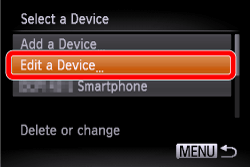
7. Choose your Android device.

8. Set [View Settings] to [On].
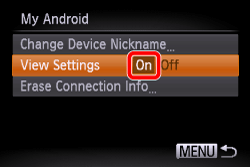
9. Press the <MENU> ( ) button.
) button.This completes the steps for changing the view settings.