





How to uninstall the CAPT software using the Uninstaller
Solution
The process of removing software to restore the computer to the same state as before the software was installed is referred to as uninstallation. Use the following procedure to uninstall the CAPT software (printer driver).
IMPORTANT
If the printer driver was installed into Windows 2000/XP/Server 2003 logged on by a user who is a member of Administrators, it cannot be uninstalled by anyone other than a user who is a member of Administrators. Make sure you log on as a member of the Administrators group before uninstalling the printer driver.
NOTE
The screen shots used in this section are from Windows XP Home Edition.
1. Close all of the files and programs listed below:
Help File
Printer Status Window
Control Panel
Other Applications
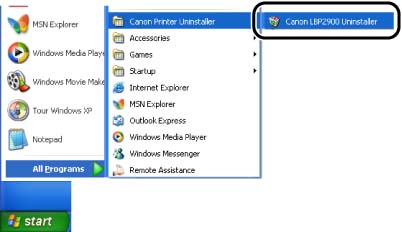
2. From the [Start] menu, select [All Programs] -> [Canon Printer Uninstaller] -> [Canon LBP2900 Uninstaller].
For Windows 98/Me/2000: From the [Start] menu, select [Programs] -> [Canon Printer Uninstaller] -> [Canon LBP2900 Uninstaller].
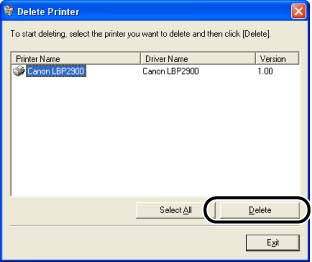
3. Select the name of this printer, then click [Delete].
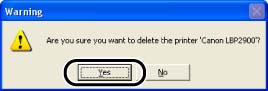
4. Click [Yes].
5. Click [Exit].
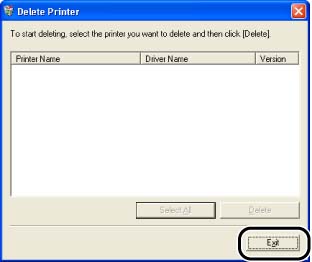
The [Delete Printer] dialog box closes.