








How to specify [Toner Density]
Solution
NOTE
The screen shots used in this section are from Windows XP Professional.
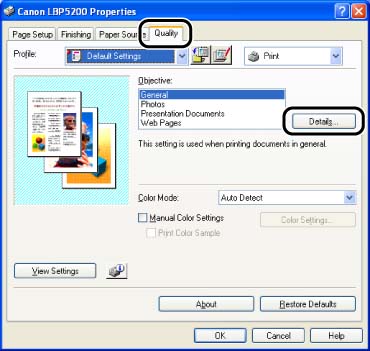
1. Display the [Quality] sheet, then click [Details].
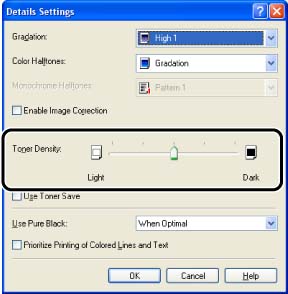
2. Adjust the toner density by dragging the [Toner Density] slider from side to side.
Adjusts the density for the print data. This setting affects the toner density of all 4 toner colors (CMYK).
3. Confirm the settings, then click [OK].
The [Quality] sheet reappears.
4. Click [OK].