








How do I release the shutter automatically (Self-timer, Face Self-Timer) (PowerShot SX510 HS)
Solution
The procedure for setting the camera to release the shutter automatically is explained in the following section.
The self-timer can be used to shoot a group photo that includes the photographer or to prevent camera shake when pressing the shutter button.
IMPORTANT
 ,
,  , and
, and  cannot be set when the shooting mode is set to
  ,
,  , or
, or  .
.1. Press the camera’s power button.
2. Press the < > button.
> button.
3. Press the < ><> up or down to select from [10 sec. Self-Timer] (), [2 sec. Self-Timer] () or [Custom Timer] ().
><> up or down to select from [10 sec. Self-Timer] (), [2 sec. Self-Timer] () or [Custom Timer] (). After the settings are completed, press the <FUNC./SET> ( ) button.
) button.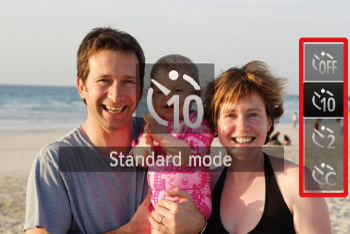
REFERENCE
- When [Custom Timer] () is selected, you can set the delay to between 0 and 30 seconds, and the number of shots to between 1 and 10 shots.
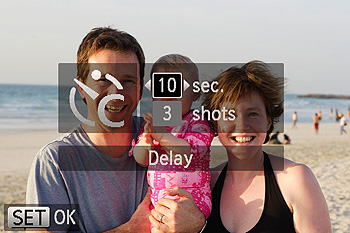
1. In step 3, select [Custom Timer] (), and press the <MENU> button.
), and press the <MENU> button.2. Press the <><> buttons to select the [Time] and the [Number of shots].
><> buttons to select the [Time] and the [Number of shots].3. Press the < ><
>< > buttons or turn the <
 > dial to select the time or number, and then press the <FUNC./SET> () button.
><> buttons or turn the <> dial to select the time or number, and then press the <FUNC./SET> () button.4. Shoot.
For Still Images: Press the shutter button halfway to focus on the subject, and then press it all the way down.
For Movies: Press the movie button.
IMPORTANT
For movies shot using the self-timer, [Delay] represents the delay before recording begins, but the [Shots] setting has no effect.
NOTE
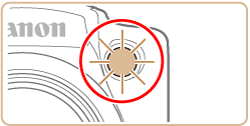
- Once you start the self-timer, the lamp will blink and the camera will play a self-timer sound.
- To cancel shooting after you have triggered the self-timer, press the <
 > button.
 - To restore the original setting, choose [
 ] in step 3.
 - When you specify multiple shots, image brightness and white balance are determined by the first shot. More time is required between shots when the flash fires or when you have specified to take many shots. Shooting will stop automatically when the memory card becomes full.
- When a delay longer than two seconds is specified, two seconds before the shot, the lamp blinking and self-timer sound will speed up. (The lamp will remain lit in case the flash fires.)
The camera will shoot about two seconds after detecting that the face of another person (such as the photographer) has entered the shooting area. This is useful when including yourself in group photos or similar shots.
IMPORTANT
When is set, , , and cannot be selected.
is set, , , and cannot be selected.1. Set the camera's mode dial to <SCN> and press the power button.
2. Press the <> button.
> button.3. The following screen appears.
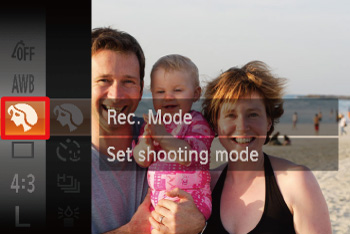
Press the <><> buttons or turn the <> dial to choose [Shooting mode].
><> buttons or turn the <> dial to choose [Shooting mode].*If the settings have never been changed, [Portrait] ( ) will be displayed.
) will be displayed.Press the <> or <> button.
> or <> button.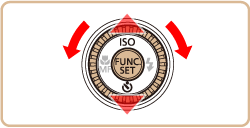
4. Press the <><> buttons or turn the <> dial to choose [ ].
><> buttons or turn the <> dial to choose [ ].Press the <> button.
> button.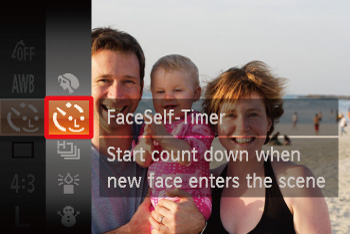
REFERENCE
To change the number of shots, after choosing [  ], press the <
 > button, choose the number of shots (either press the <>< > buttons or turn the <> dial), and then press the <> button again. [Blink Detection] is only available for the final shot.
], press the <> button, choose the number of shots (either press the <>< > buttons or turn the <> dial), and then press the <> button again. [Blink Detection] is only available for the final shot.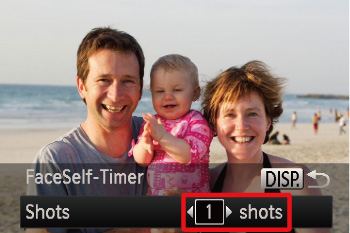
5. Compose the shot and press the shutter button halfway.
- Make sure a green frame is displayed around the face you focus on and white frames around other faces.
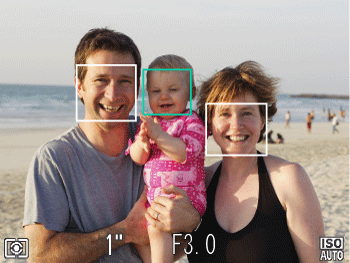
6. Press the shutter button all the way down.
- The camera now enters shooting standby mode, and [Look straight at camera to start count down] is displayed.
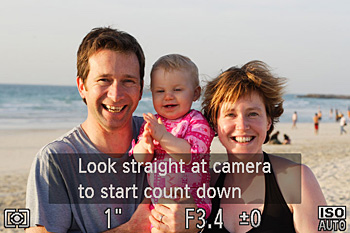
- The lamp blinks and the self-timer sound is played.
7. Join the subjects in the shooting area and look at the camera.
- After the camera detects a new face, the lamp blinking and self-timer sound will speed up. (When the flash fires, the lamp will remain lit.) About two seconds later, the camera will shoot.
- To cancel shooting after you have triggered the self-timer, press the <> button.
NOTE
- Even if your face is not detected after you join the others in the shooting area, the camera will shoot about 15 seconds later.
- The zoom factor cannot be changed with the <
 > button after you press the shutter button all the way down.